

PromptLayer allows you to attach multiple key value pairs as metadata to a request. In the dashboard, you can look up requests and analyze analytics using metadata. We recommend using this for things like session IDs, user IDs, or error messages. Metadata is useful to help you use the advanced search or understand the Analytics page.Documentation Index
Fetch the complete documentation index at: https://promptlayer-add-demo-projects.mintlify.app/llms.txt
Use this file to discover all available pages before exploring further.
Add metadata when running a prompt
Pass metadata directly intoclient.run() when you already know the request context, such as the user, session, or feature that triggered the prompt.
Python
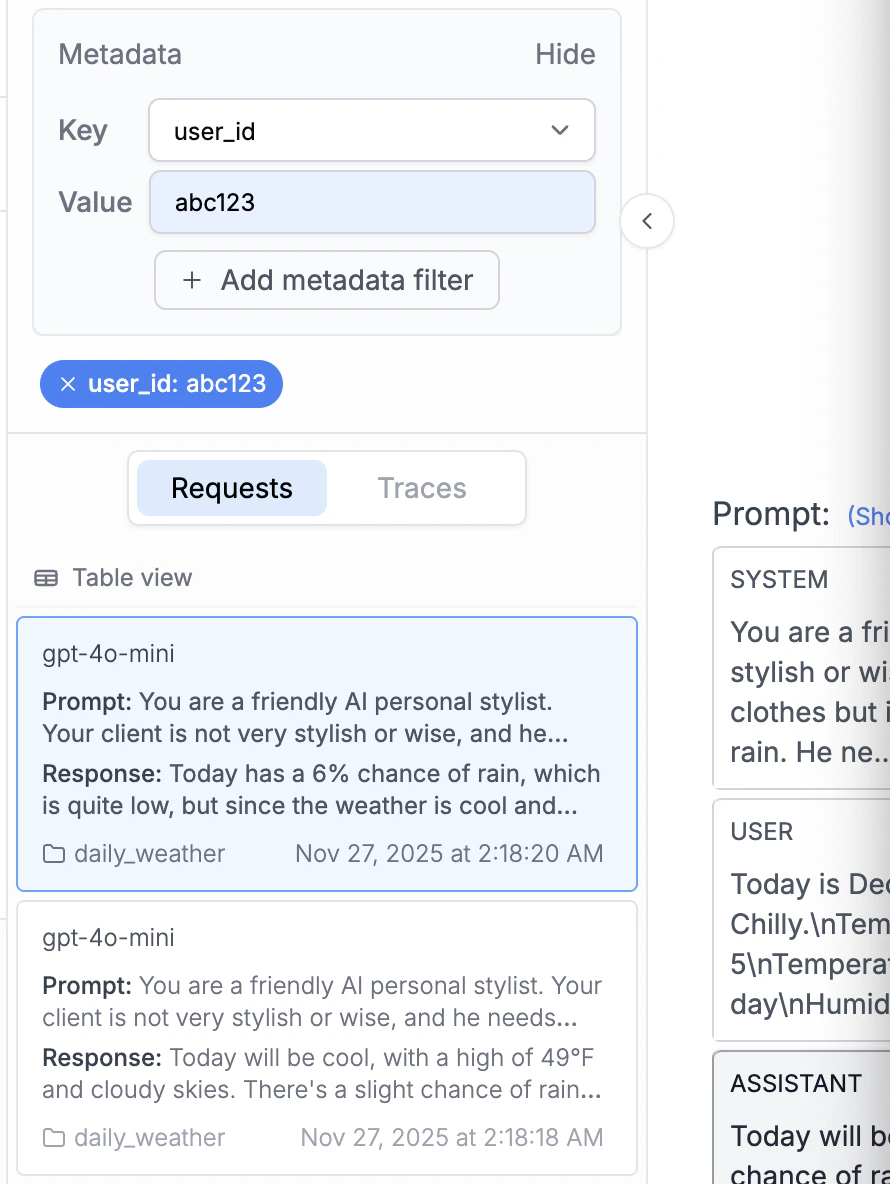
Add metadata after a request
Usetrack.metadata() when you need to attach or update metadata after a request has already run.
Endpoint Reference
- Currently keys and values need to be strings in PromptLayer.
- If you track a key that was already tracked before for a specific request_id, the value that corresponds to that key will be replaced.
Once metadata is added, you will then be able to see it in the web UI.
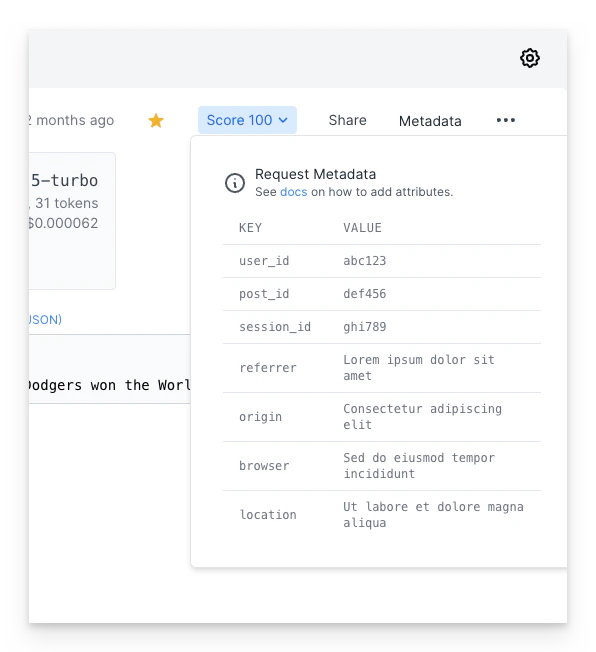
Attaching metadata via OpenTelemetry
If you instrument your app with OpenTelemetry, you can attach metadata directly from span attributes — notrack.metadata() call required. PromptLayer automatically maps standard attributes like user.id and gen_ai.conversation.id, and also reads arbitrary promptlayer.metadata.<key> attributes.
See Attaching User Identity & Metadata in the OpenTelemetry guide for details.